Your databases
deserve an agent.
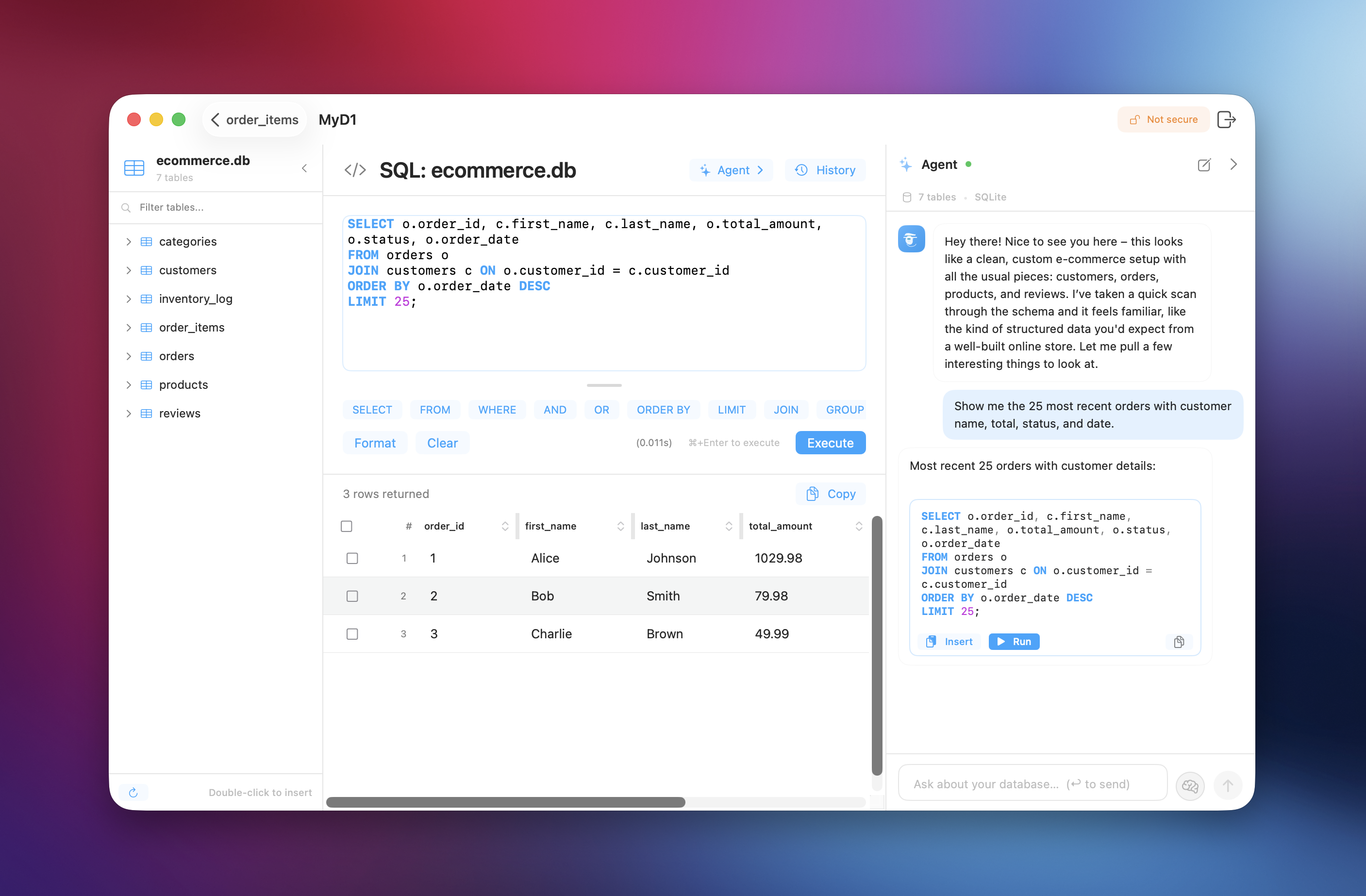
SQLAgent is a native macOS client for D1, MySQL, PostgreSQL & SQLite. It understands your schema, teaches SQL, analyzes performance — and gets smarter every session.
An agent that lives
inside your database.
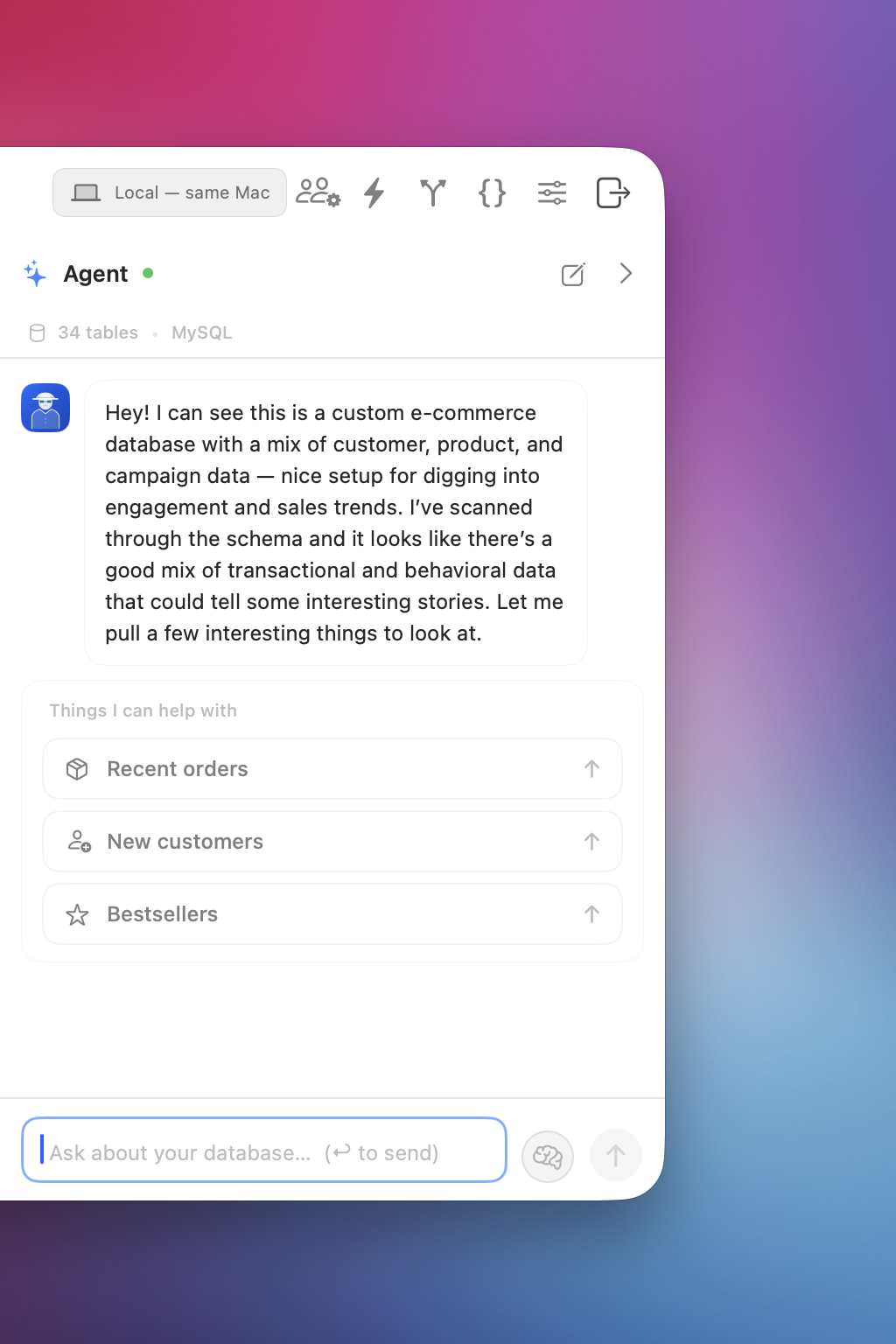
Text-to-SQL is a commodity — every tool has it now. What SQLAgent has is an agent that understands your database, teaches you SQL, analyzes performance, and gets smarter with every session.
Understands your schema instantly
Connect to any database and the agent reads every table, column, relationship, and constraint — generating SQL that actually works on your specific data, not generic examples.
Teaches, not just answers
Ask "why LEFT JOIN?" and the agent walks through every clause. Ask for alternatives and it shows two approaches with trade-offs. Learn SQL while shipping, on your own data.
Remembers every session
Per-database persistent memory. Schema changes tracked. Your SQL style learned and matched. Session 10 builds on sessions 1–9 — the agent from last month knows what you did last month.
A senior DBA.
Inside your app. For $29.
Most developers do DBA work without DBA skills. SQLAgent reads your schema like a senior engineer would — and tells you exactly what to fix.
Schema Review
Spots missing keys, bad column types, normalization issues, denormalization opportunities. The kind of review you'd pay an architect $5k for.
Query Optimization
Runs EXPLAIN, interprets it in plain English, suggests the exact fix — index, rewrite, or partition. No more guessing what the planner is doing.
Index Strategy
Recommendations based on your real data, real queries, and real cardinality. Not generic guidance from a Stack Overflow answer.
Health Check
One command. A prioritized action plan: critical, important, nice-to-have. Each finding ships with the exact SQL to fix it.
One $29 app replaces
the tools you're paying for.
Two tools you already pay for — one native app, billed once, owned forever.
- Database clientlike TablePlus$89/yr
- BI toollike Metabase$85/mo
What makes this
an agent, not a chatbot.
Three more things the agent does, beyond reading your schema — answer analytical questions, surface what you didn't ask about, and speak every dialect natively.
Data Analyst
Time series. Cohort analysis. Funnels. Segmentation. Ask in plain English, get the SQL, run it, see the answer. No BI tools. No Python notebooks. No data team on payroll.
Proactive Suggestions
The agent doesn't wait for you to ask. It analyzes your schema and surfaces insights you didn't know to ask for — duplicates, orphaned records, missing indexes, upcoming trial expirations, unusual data patterns.
Every Dialect
MySQL, PostgreSQL, SQLite, Cloudflare D1. Correct syntax for whatever you're connected to. Cross-engine translation when you need it. Zero dialect mistakes.
D1, MySQL, PostgreSQL & SQLite.
One native app.
Stop context-switching between tools. Native protocols — no ODBC, no JDBC, no Electron.
Cloudflare D1 is great.
Managing it isn't.
Cloudflare D1 gives you SQLite at the edge with zero ops. But your only options are the terminal or the dashboard.
Same query. Two worlds. Run a SELECT in the terminal — or run it in SQLAgent.
$ wrangler d1 execute prod_db --command="SELECT * FROM users LIMIT 4"

⠋ Authenticating with Cloudflare…
⠹ Fetching D1 binding…
⠼ Streaming results…

┌────┬─────────────────┬───────────────────────┐
│ id │ name            │ email                 │
├────┼─────────────────┼───────────────────────┤
│  1 │ Marcus Lehmann  │ marcus@…              │
│  2 │ Sophie Chen     │ sophie.c@…            │
│  3 │ Kai Olsson      │ kai@…                 │
│  4 │ Ryan Bakker     │ ryan@…                │
└────┴─────────────────┴───────────────────────┘
→ 5.4s · 4 row(s) · re-run to refresh
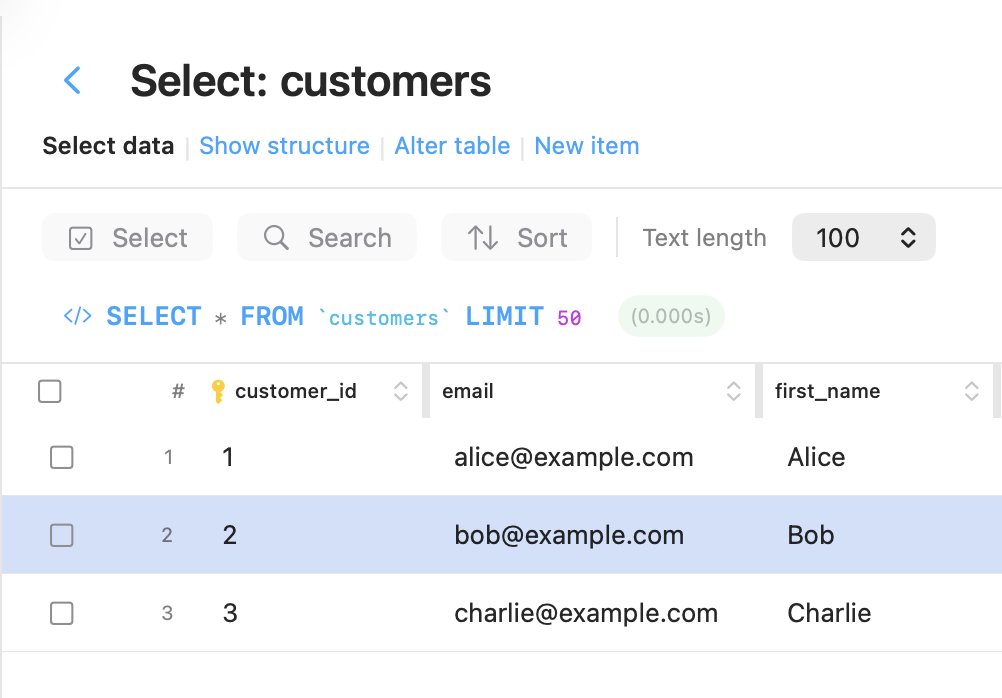
From Spotlight to export.
In one breath.
Hit ⌘Space, type SQ,
and you're in SQLAgent. From there it's mostly keyboard — ⌘K for the command palette, ⌘F to filter rows, ⌘A to select — with two quick clicks to open a saved
connection and save the CSV export.
Shortcuts shown in the demo.
Navigate
- ⌘FFind database / table / data
- ↑↓Navigate lists
- →Drill in / next field
- ⌘ZBack — press again to redo
- EnterConfirm / connect / open
Edit
- ⌘EnterExecute SQL
- ⌘EExport selection
- ⇧↓Extend selection
- ⌘KTalk to the agent
- EscClose any panel
Smart Search
Type a value — the app picks the columns to search.
- alice@mail.com→email columns
- 42→integer columns
- 2026-01-15→date columns
- 550e8400-e29b…→UUID columns
- 192.168.1.1→IP-shaped strings
Everything you expect.
Plus the agent that makes the difference.
SQL editor, resizable data grid, production-grade TLS, history & bookmarks, import & export, saved connections, schema browser — all the table-stakes of a pro database client. Plus an AI agent that understands your schema.
See the full feature listYour queries stay on your Mac. Your schema never leaves your database. The agent calls your AI provider directly with your API key — we don’t see, log, or proxy anything.
Free download. Pro one-time. No subscription.
No recurring fees. Download trial or unlock everything with a single purchase.
AI inference is BYOK — connect your own Anthropic, OpenAI, OpenRouter, xAI, or local Ollama key. You pay your provider directly, at cost.
- ✓ Cloudflare D1, MySQL, PostgreSQL, SQLite
- ✓ SQL editor & data grid
- ✓ Query history & bookmarks
- ✓ Import & export
- ✓ No account required
- ✓ AI agent that understands your schema
- ✓ Teaching mode, analysis & proactive suggestions
- ✓ Performance health checks & index recommendations
- ✓ Session memory — remembers per database, forever
- ✓ Analytics dashboard · SSL/TLS · unlimited devices
- Anthropic
- OpenAI
- OpenRouter
- xAI
- Ollama
Does the Pro license expire? No. Pay once, use forever. Every future version included.
Built for developers who care.
Eliminated our Wrangler CLI dependency for Cloudflare D1 introspection. Query execution latency dropped from 5 s round-trips to sub-second with native HTTP bindings.
Ran the health check on our 200M-row production database. Found 4 missing indexes, 2 redundant ones, and a slow query eating 40% of our CPU. The fix took 10 minutes. We'd been chasing that for weeks.
I used to export CSVs and load them into Python notebooks for cohort analysis. Now I ask SQLAgent "show me retention by signup month" and it generates the SQL in three seconds. Our data team is an order of magnitude faster.
SQLAgent replaced Metabase, TablePlus, and my Notion page full of SQL snippets. One app, $29, done. The session memory is what sold me — it remembered exactly what I was analyzing last week.
I've learned more SQL in two weeks with SQLAgent than I did in six months of tutorials. It doesn't just give you the answer — it explains why. When I asked "what's a window function?", it ran the query on my own data and walked me through it.
Best $29 I've spent this year. SQLAgent is the missing piece of the Workers stack.
Honest answers.
The questions everyone asks before they pay. Short answers, no marketing detour.
Does the Pro license expire?
Where is my AI API key stored?
Does my database data leave my Mac?
Can I use Pro on multiple Macs?
What if I want a refund?
Does it run on Intel Macs?
Your databases deserve better
than the terminal.
Connect in 30 seconds. No account. No subscription. Just a fast, native app that respects your Mac.